1. The Foundation: Cursor AI as an Agentic Coding Platform
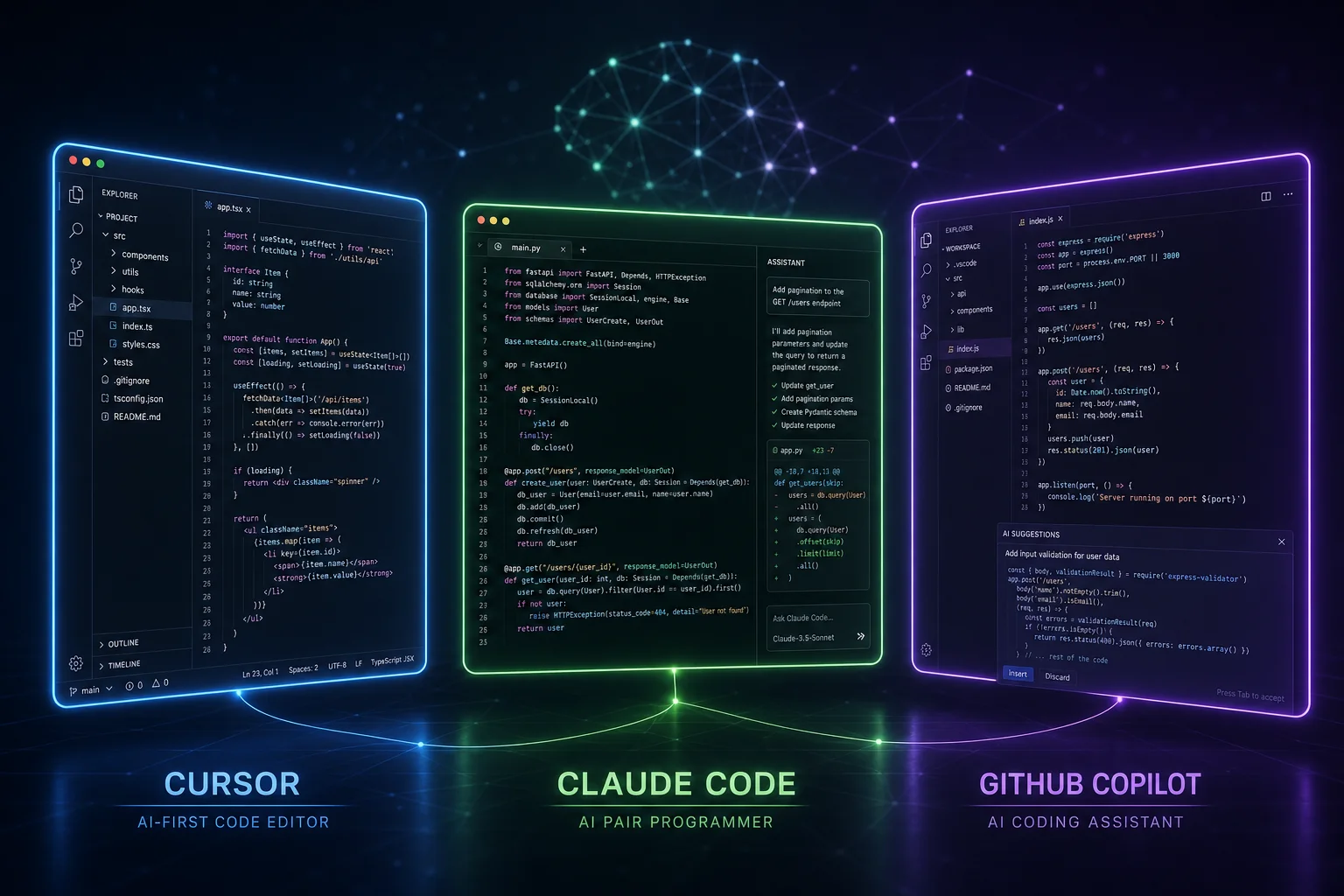
Cursor AI has evolved far beyond a simple code completion tool. As of 2026, Cursor is positioned as "the best coding agent" — an AI-native IDE that supports autonomous agent-driven workflows through several key mechanisms 17.
1.1 MCP (Model Context Protocol) Support
Cursor is a first-class client of the Model Context Protocol (MCP), an open standard introduced by Anthropic in November 2024 and now widely adopted across the AI ecosystem 14. MCP provides a standardized way for AI applications to connect with external tools and data sources — analogous to a "USB-C port for AI" 5. This means Cursor can connect to any MCP-compatible server to access external services, databases, and APIs in real time during agent execution.
The protocol supports tool calls — where the AI agent can invoke predefined functions on an MCP server — and event-driven responses, enabling the agent to react to external state changes 24. Critically, Cursor is explicitly listed alongside Visual Studio Code, Claude, ChatGPT, and MCPJam as platforms that support MCP 4, making it a viable client for any MCP server that bridges to project management tools like Jira.
1.2 Agent Mode and Autonomous Execution
Cursor's agent mode allows the AI to autonomously plan and execute multi-step tasks without requiring developer approval at every step. This includes:
- Reading and writing files across a project
- Running terminal commands
- Executing API calls to external services
- Invoking MCP server tools
This agentic capability is the foundation for workflow integration. In agent mode, Cursor can interpret a developer's high-level instruction (e.g., "Investigate the failing test suite and file bugs for each regression") and execute a multi-step plan that includes code analysis, issue creation in Jira, and reporting back to the developer.
1.3 YOLO Mode and Guardrails
Cursor's YOLO mode represents the highest level of agent autonomy — the AI can execute all actions without confirmation prompts. This is paired with configurable guardrails defined in `.cursorrules` files. These rules can specify:
- What external systems the agent is allowed to interact with
- Custom commands and API endpoints the agent can invoke
- Authentication tokens and credentials (sourced environment variables)
- Behavioral constraints and approval gates for sensitive operations
The `.cursorrules` mechanism is also evolving into a directory-based rule system (`.cursor/rules/`) in 2026, allowing per-project and even per-file-scope agent behavior configuration. This structured rule system is essential for safely connecting Cursor to enterprise systems like Jira, as rules can enforce that all Jira mutations require human approval or that certain fields must be populated before tickets are created.
---
2. Jira Cloud: The AI-Ready Project Management Backend
2.1 REST API Surface
Jira Cloud exposes a comprehensive REST API (v2 and v3) that provides the full surface area needed by AI agents 19. Key endpoints relevant to a Cursor AI integration include:
Jira also supports JQL (Jira Query Language) for complex searches, enabling an AI agent to run queries like `project = "BACKEND" AND status in ("Open", "In Progress") ORDER BY priority DESC`.
2.2 Authentication: OAuth 2.0 and API Tokens
Jira Cloud supports OAuth 2.0 (3LO — three-legged OAuth) and personal access tokens (API tokens) for programmatic access 19. For AI agent integrations, the recommended approach depends on the agent's deployment model:
- Personal tokens — Ideal when a developer's Cursor agent operates under their identity. The token inherits the user's permissions in Jira. Generated from `https://id.atlassian.com/manage/api-tokens`.
- OAuth 2.0 — Better for shared/team agent instances or when granular scopes are required. OAuth allows scoping the agent's access to specific Jira projects, issue types, and operations.
- Atlassian Forge apps — For production integrations, a Forge app can authenticate using OAuth 2.0 with JWTs, providing the most controlled and auditable access model 19(https://www.atlassian.com/).
2.3 Webhooks and Event-Driven Architecture
Jira Cloud supports both incoming and outgoing webhooks:
- Outgoing webhooks — Jira can push events (issue created, updated, deleted, comment added, etc.) to external endpoints. For a Cursor AI integration, this enables Jira to notify the agent when ticket status changes or when a developer is assigned a high-priority bug.
- Incoming webhooks — External systems (including Cursor's MCP server or middleware like n8n) can send payloads to Jira that trigger automation rules, field updates, or ticket creation.
This bidirectional webhook support enables event-driven synchronisation where code changes in the Cursor environment can create tickets, and Jira workflow transitions can trigger new agent actions.
2.4 Atlassian Intelligence and Jira AI Agents
Atlassian has made significant AI investments, with layoffs announced in March 2026 attributed to a strategic pivot toward AI and enterprise sales, affecting 10% of the workforce 20. The company is also forcing all remaining customers to migrate from data center to cloud by February 2029 21, making cloud-native AI integrations the only forward-looking path.
Jira's product positioning in 2026 explicitly mentions "AI agents that orchestrate, plan, and track projects at scale" 41. The Atlassian Intelligence layer includes:
- Natural language querying of Jira data
- Automated sprint planning and task estimation
- AI-generated ticket summaries and descriptions
- Virtual agents for self-service issue management
These built-in AI capabilities complement — rather than compete with — an external AI agent like Cursor. While Atlassian Intelligence handles high-level project orchestration, Cursor's agent can operate at the code level, creating a tightly coupled develop-track-debug loop.
2.5 Forge Platform for Custom App Development
Atlassian Forge provides a serverless framework for building custom apps that integrate deeply with Jira, Confluence, and other Atlassian products 19. Forge apps can:
- Subscribe to Jira events (issue creation, transitions, comments)
- Call Jira REST APIs
- Expose custom UI modules within Jira
- Store private app data encrypted at rest
For enterprises that require more than what MCP or middleware solutions offer, a custom Forge app can serve as a dedicated bridge between Cursor AI and Jira, providing:
- Fine-grained permission scoping
- Audit logging of all agent-originated actions
- Custom business logic for ticket routing and validation
- Slack/Teams notifications when the AI agent creates or updates tickets
---
3. Integration Patterns: Connecting Cursor AI to Jira
3.1 Pattern 1: MCP Server Bridge (Recommended for Most Teams)
The most architecturally clean approach is to build or deploy an MCP server for Jira that Cursor can connect to directly. Although no dedicated Jira MCP server was found in the official Anthropic-maintained repository at the time of research, the MCP protocol is explicitly designed for such bridges, and the open-source community or commercial vendors could fill this gap 34.
An MCP server for Jira would expose tools such as:
- `create_jira_issue(summary, description, project, priority, assignee?)`
- `search_jira_issues(jql_query)`
- `update_jira_issue(issue_key, fields)`
- `add_jira_comment(issue_key, comment)`
The workflow inside Cursor would look like:
1. Developer instructs the Cursor agent: "Check the CI test failures and file bugs for each new regression."
2. The agent analyzes test output files in the workspace.
3. For each unique failure, the agent calls the `create_jira_issue` MCP tool with full context: stack trace, affected files, reproduction steps, and environment details.
4. The agent reports back to the developer with a summary of tickets created.
MCP handles authentication, transport security, and tool discovery, making this the most developer-friendly and protocol-standardized approach.
3.2 Pattern 2: Middleware Workflow Automation (n8n / Zapier)
For teams that prefer visual workflow building or need to orchestrate complex multi-step pipelines, n8n or Zapier can serve as middleware between Cursor and Jira.
n8n (pronounced "n-eight-n", short for "nodemation") is a fair-code workflow automation platform with 400+ integrations, native AI capabilities, and self-hostable deployment 78. It supports:
- Webhook triggers (incoming from Cursor)
- Jira nodes for CRUD operations on issues
- AI agent nodes for intermediate processing
- HTTP Request nodes for custom API calls
- Conditional logic, data transformation, and error handling
A typical n8n workflow might be:
1. Cursor pushes a webhook payload to n8n containing detected issue details.
2. n8n enriches the data (e.g., fetching additional context from a monitoring tool).
3. n8n creates/updates the Jira ticket.
4. n8n sends the response back to Cursor or notifies the developer via Slack.
Zapier offers a similar but more SaaS-centric model with over 8,000 app integrations and is trusted by over 3 million businesses 1213. Its Jira integration supports triggers like "New Issue" and actions like "Create Issue," "Update Issue," and "Add Comment" 121314. While the research did not find specific pre-built Zapier templates for Cursor + Jira, the platform's webhook and multi-step Zap capabilities make such connections feasible 1215.
3.3 Pattern 3: Direct REST API Calls from Agent Rules
For teams that want maximum control and minimal external dependencies, Cursor's agent can be configured to call Jira's REST APIs directly via custom commands in `.cursorrules` or via the agent's ability to execute HTTP requests.
This pattern involves:
1. Defining a set of allowed API calls in `.cursorrules` with authentication details sourced from environment variables.
2. Instructing the agent to construct proper JSON payloads for Jira's REST API.
3. The agent handles error responses, retries, and pagination in its multi-step execution.
The `.cursorrules` file for Jira integration might look like:
```plaintext
- Jira REST API base URL: https://your-domain.atlassian.net/rest/api/2
- Authentication: Use JIRA_API_TOKEN env variable with basic auth
- All issue creation must include: summary, description, project, issueType
- Assignee field is optional but recommended
- When creating tickets for bugs, include stack trace and reproduction steps in the description
- Ask for human confirmation before transitioning issues to "Done" or "Closed"
```
This direct approach is the fastest to implement but places more burden on the agent's instruction-following capabilities and error handling, and provides less structured governance than MCP or middleware solutions.
3.4 Pattern 4: Atlassian Forge Custom App
Enterprise teams with complex requirements can build a custom Forge app that serves as the dedicated integration layer 19. The Forge app would:
- Subscribe to relevant Jira events (e.g., issue transitions in a "Needs Development" column)
- Expose REST endpoints that Cursor's MCP server or agent rules can call
- Implement custom business logic (e.g., routing tickets to specific teams based on component)
- Provide a UI module within Jira showing Cursor AI activity (e.g., "Last analyzed by Cursor AI: 2 minutes ago — 3 potential bugs found")
Forge authentication uses OAuth 2.0 with JWTs, and apps run on Atlassian's serverless infrastructure, providing built-in scalability and compliance 19.
---
4. Cloud Agent Workflows in 2026: From Bug Detection to Resolution
4.1 Automated Bug Detection → Ticket Creation
The most impactful workflow pattern for Cursor + Jira integration in 2026 is the autonomous bug detection pipeline. This leverages Cursor's agentic capabilities combined with modern error-tracking platforms.
The end-to-end workflow:
1. Code Change Committed — A developer pushes code to a GitHub repository 3536.
2. CI/CD Pipeline Executes — Tests run, static analysis executes, and integration tests deploy to staging 33.
3. Error Detected — Platforms like Sentry (developer-first error tracking and performance monitoring) 2223 or Datadog (monitoring, security, and analytics platform) 24 capture the failure with full context: stack trace, affected versions, environment, and frequency.
4. Cursor Agent Notified — The error data is fed into Cursor's context, either via MCP server, webhook, or file-based handoff.
5. Agent Analyzes Root Cause — Cursor's agent reads the error context, navigates the codebase to identify the failing code path, assesses severity, and determines if it's a new regression or a known issue.
6. Agent Creates Jira Ticket — The agent calls the Jira API (via MCP, n8n, or direct) to create a ticket with:
- Summary: Concise description of the bug
- Description: Full reproduction steps, stack trace, affected files, and links to CI/CD run
- Priority: Inferred from error frequency and impact
- Assignee: Optionally assigned to the developer who made the related commit
- Labels: Auto-tagged (e.g., "regression", "AI-detected", "performance")
- Linked Issues: References to related code changes or parent epics
7. Ticket Progress Tracked — The agent monitors the ticket's status via Jira API and can:
- Update the ticket when a fix is identified
- Create linked pull requests in GitHub/GitLab
- Reassign based on team workload
- Escalate if the ticket sits unresolved past a threshold
4.2 Task Assignment and Sprint Management
Cursor's agent can also participate in sprint planning and task assignment workflows:
- Query Jira for unassigned tickets matching AI-level capabilities
- Propose assignment based on developer's current workload and expertise (by analyzing recent code changes)
- Create sub-tasks for complex issues and estimate effort based on code complexity analysis
- Auto-populate sprint backlogs from a triage queue of AI-detected issues
4.3 Developer Productivity Feedback Loop
A more advanced workflow involves bidirectional feedback between Cursor and Jira:
- When a developer resolves a ticket, Jira's outgoing webhook notifies Cursor.
- Cursor's agent analyzes the fix commit to learn patterns: what code changes typically resolve which issue types.
- Over time, the agent improves its ability to suggest fixes for similar issues, creating a self-improving system.
- Ticket resolution analytics can be surfaced within Cursor (e.g., "Your team resolved 12 AI-detected bugs this sprint, average time-to-close: 2.3 hours").
4.4 Implementation Prerequisites
To realize these workflows, teams need:
- Jira Cloud subscription with REST API access enabled
- Cursor AI with MCP support (2025+ versions)
- MCP server for Jira (build custom or adopt community solution)
- Error monitoring platform (Sentry, Datadog, or similar) with webhook/API access
- CI/CD pipeline that can surface test failures and error outputs to Cursor's context
---
5. Security, Compliance, and Governance
5.1 Authentication and Identity Management
The integration introduces a new identity vector: the AI agent as a user. Enterprises must decide how the agent authenticates to Jira:
For production deployments, OAuth 2.0 with tightly scoped permissions or a Forge app is recommended. The agent should never use admin-level credentials. Jira Cloud's permission schemes can be configured to restrict API-only users to specific projects, issue types, and operations, ensuring that the AI agent cannot access sensitive projects it does not need.
5.2 Data Residency and Compliance
Jira Cloud offers data residency options across regions including the United States, Europe (Germany, Ireland, UK), and Australia. Enterprises with strict data locality requirements should ensure the Jira Cloud instance and any middleware (n8n, Zapier, custom MCP server) are deployed in compliant regions.
Atlassian holds SOC 2 Type II certification for Jira Cloud, and Forge apps run in a PCI-compliant environment 19. Code context sent to Jira by the AI agent could contain proprietary business logic or sensitive data; organizations should:
- Review Jira Cloud's Data Processing Agreement (DPA) for GDPR compliance
- Ensure the MCP server or middleware does not log or cache sensitive code snippets
- Configure IP allowlisting so Jira only accepts API calls from approved networks (e.g., corporate VPN or agent deployment server)
- Monitor API usage via Jira Cloud audit logs, which record all API calls including those made by the AI agent
5.3 Audit Logging and Observability
Jira Cloud's audit log records all user and API actions, including:
- Issue creation, updates, and transitions
- Permission changes
- Project configuration changes
- Failed authentication attempts
This means every action taken by the Cursor AI agent is traceable. For additional observability:
- The MCP server or middleware should add structured metadata to Jira comments or custom fields (e.g., "Source: Cursor AI agent v1.2.3, Session: abc-123")
- Each ticket created by the agent should be tagged with an "AI-generated" label for easy filtering and auditing
- Rate limits on Jira's REST API (typically 1,000 requests per minute per user) should be monitored to prevent the agent from overwhelming the system with automated ticket creation
5.4 Guardrails and Human-in-the-Loop
For enterprise adoption, the integration should incorporate human-in-the-loop guardrails:
- Confirmation gates for state-changing operations (transitions to "Done," "Closed," or any production-deploy related status)
- Quota limits on how many tickets the agent can create per hour/day
- Content validation to ensure tickets meet quality standards (e.g., minimum description length, required fields populated)
- Escalation routing — if the agent detects a critical vulnerability, it should create the ticket but also notify the security team via a parallel channel
These guardrails can be implemented at the MCP server level (requiring confirmation for certain tool calls), in middleware (n8n logic nodes), or in `.cursorrules` (instruction-level constraints).
5.5 The Cloud-Only Mandate
Atlassian's decision to shut down its data center product line and force all customers to cloud by February 2029 21 has significant implications. Enterprises still on-premise must plan their migration timeline carefully, as integration patterns described here (MCP, webhooks, OAuth 2.0) are cloud-native. All future investment in AI agent integration should target Jira Cloud, as data center versions will lose support and access to Atlassian's AI capabilities.
---
6. Competitive and Complementary Landscape
6.1 GitHub Copilot + Jira
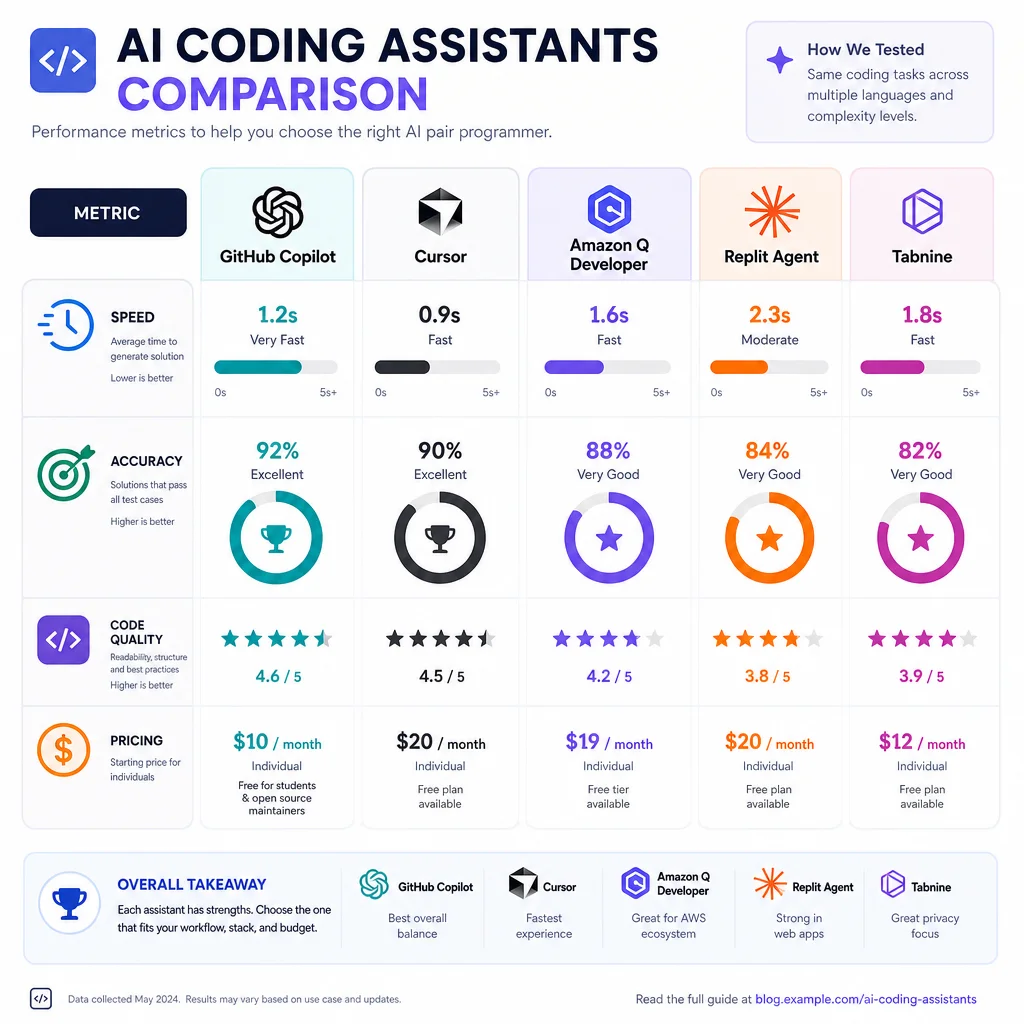
GitHub Copilot has evolved significantly and now includes an Extensions API that allows third-party services — including Jira — to be integrated directly into Copilot Chat. However, Copilot's architecture is fundamentally different from Cursor's:
- Copilot operates primarily as an assistant inside VS Code and JetBrains, whereas Cursor is a standalone AI-native IDE
- Copilot's agent mode is less autonomous than Cursor's — Copilot tends to make suggestions that require human confirmation, while Cursor can execute multi-step plans independently
- GitHub Copilot + Jira integration typically relies on Copilot Extensions, which are chat-command driven rather than agent-rules driven
The comparison favors Cursor for fully autonomous workflows (e.g., "detect the bug, file the ticket, assign it, and start working on a fix"), while Copilot is better suited for assisted workflows where the developer remains in control of each step.
6.2 Linear
Linear has emerged as a strong Jira alternative for modern software teams, particularly those with AI-first workflows. Linear's API is modern (GraphQL-based), well-documented, and designed for programmatic access. Linear has also invested in AI features including:
- AI-powered triage and prioritization
- Automated ticket generation from GitHub commits and PRs
- Natural language query interface
For Cursor AI integration, Linear offers several advantages over Jira:
- Simpler API surface with fewer legacy endpoints
- Faster response times (GraphQL allows precise data fetching)
- No enterprise feature bloat for smaller teams
- Better documentation for API-first workflows
However, Jira remains the enterprise standard with over 300,000 global customers, 80% of the Fortune 500, and deeper compliance/audit capabilities 18. Linear is more appropriate for startups and mid-market teams, while Jira is the default for organizations with regulatory requirements (SOC2, SOX, HIPAA).
6.3 Atlassian Forge (Self-Competition)
Atlassian's own Forge platform 19 is both a complement and a competitor:
- Complement: Forge can be used to build the "last mile" of the integration, providing custom Jira-side logic that the Cursor agent can call
- Competitor: Forge enables building Jira-native apps that duplicate some Cursor agent functionality (e.g., auto-triage rules), potentially reducing the need for an external AI coding agent
However, Forge apps run inside Atlassian's infrastructure and cannot perform code-level analysis — they cannot read your codebase, run tests, or analyze stack traces. The real value of Cursor + Jira integration is the tight coupling between code context and project management, something no Jira-native app can achieve.
6.4 Unique Value Proposition of Cursor + Jira
The Cursor AI + Jira integration's unique value lies in three dimensions:
The fundamental advantage is that Cursor operates in the same context as the developer — it can read and modify the codebase, run tests, execute CI/CD commands, and then report findings directly into Jira. This creates a closed loop from development → testing → issue tracking → resolution that no other tool can replicate.
---
7. Implementation Roadmap
For teams ready to implement a Cursor AI + Jira integration in 2026, the following phased approach is recommended:
Phase 1: Foundation (Weeks 1-2)
- Set up Jira Cloud with a dedicated API user or OAuth 2.0 integration
- Configure `.cursorrules` in a pilot project with basic Jira API calling capabilities
- Build or deploy a simple MCP server for Jira with `create_issue` and `search_issues` tools
- Test manual workflows — developer triggers ticket creation from within Cursor
Phase 2: Automation (Weeks 3-4)
- Connect error monitoring (Sentry/Datadog) to the pipeline
- Deploy n8n as middleware if multi-step orchestration is needed
- Implement automated bug detection → Jira ticket creation for CI/CD failures
- Add ticket tracking — agent updates ticket status as work progresses
Phase 3: Enterprise Hardening (Weeks 5-8)
- Implement governance rules — human-in-the-loop for critical transitions
- Configure audit logging with AI-agent-specific metadata
- Set up rate limiting, IP allowlisting, and permission scoping
- Build Forge app for advanced Jira-side logic if needed
- Train the team on Cursor agent capabilities and boundaries
Phase 4: Optimization (Ongoing)
- Refine agent rules based on patterns in how the team uses tickets
- Analyze resolution data to improve bug triage accuracy
- Expand workflows to include sprint planning, capacity estimation, and automated PR linking
- Monitor Atlassian's AI roadmap — Atlassian Intelligence features may complement or supersede some manual integration logic
---
8. Challenges and Mitigations
---
9. Conclusion
The integration of Cursor AI and Jira Cloud represents a powerful paradigm for modern software development in 2026. Cursor's agentic capabilities — powered by MCP, `.cursorrules`, and autonomous execution modes — combine with Jira's comprehensive REST API, webhook infrastructure, and Atlassian Intelligence to create tight code-to-ticket feedback loops.
The most promising workflows involve automated bug detection through CI/CD pipelines where Cursor's agent analyzes test failures and error reports, creates fully contextualized Jira tickets, tracks them through resolution, and learns from the patterns to improve future detection. This transforms Jira from a passive tracking system into an active participant in the development lifecycle.
Enterprise adoption requires careful attention to governance and security — OAuth 2.0 scoping, audit logging, IP allowlisting, and human-in-the-loop guardrails are essential. The choice of integration pattern (MCP server, middleware, direct API, or Forge app) depends on the team's size, compliance requirements, and desired level of autonomy.
While alternatives like GitHub Copilot, Linear, and Atlassian Forge offer partial solutions, none currently match the combination of code-context awareness, agent autonomy, and enterprise readiness that Cursor AI + Jira Cloud provides. As Atlassian pushes further into AI-driven project management and Cursor continues to enhance its agent framework, this integration will only grow more powerful — making 2026 the optimal time for teams to invest in building their cloud agent workflow.