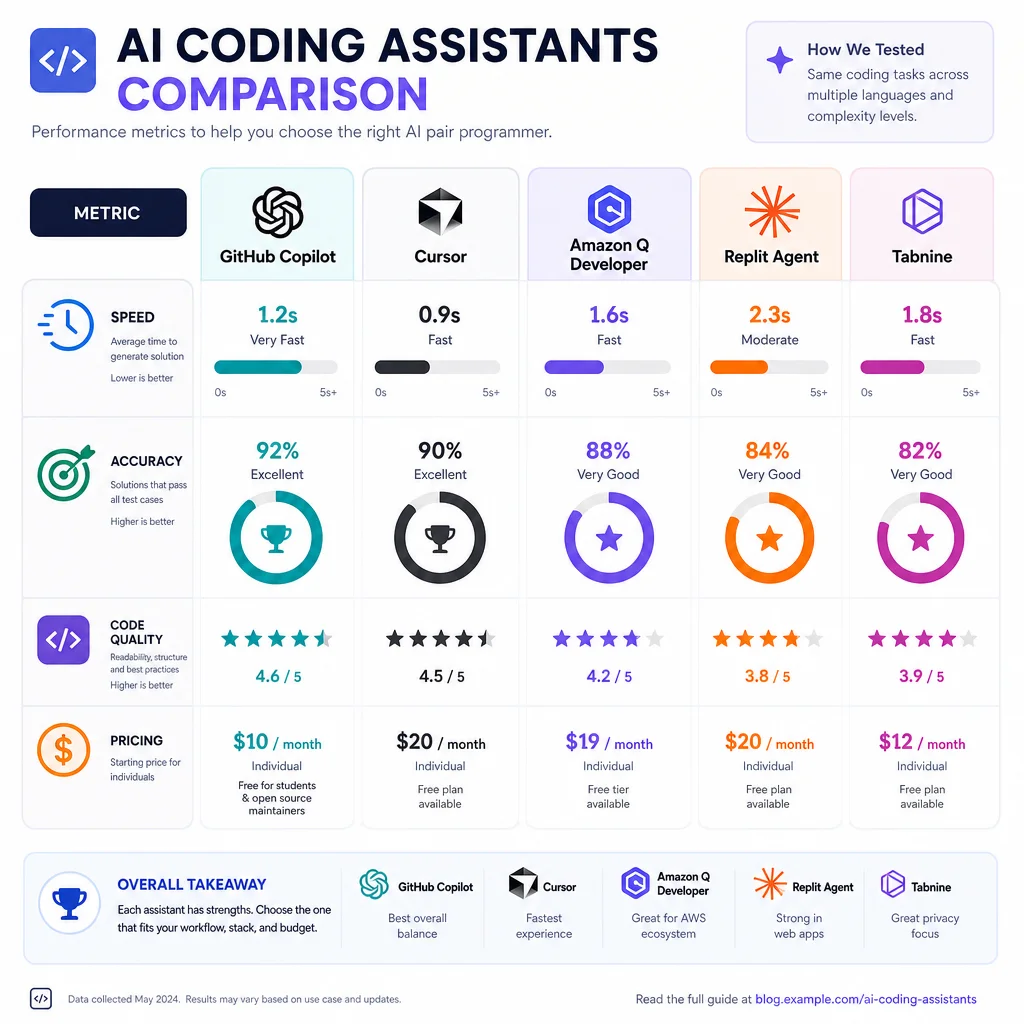
The landscape of AI image-to-video generation has evolved dramatically through early 2026, with five major platforms competing across quality, speed, cost, and workflow integration. Google's Gemini Omni (powered by Veo models), Runway (Gen-4/Gen-4.5), Luma (Ray 2), Kling (Kuaishou), and Pika have each made distinct bets on architecture, resolution, controllability, and pricing. Below is a detailed, tool-by-tool analysis and head-to-head comparison.
---
1. Google Gemini Omni (Veo Ecosystem)
Core Capabilities & Model Architecture
Google's video generation is accessed through Veo 3 (released late 2025, with incremental updates through early 2026) and the multimodal Gemini Omni interface. Veo 3 represents Google's third-generation video model, deeply integrated with Gemini's multimodal reasoning. The key advancement is native audio generation — Veo 3.1 can produce synchronized audio tracks (sound effects, ambient sound, and even speech) directly during video generation, eliminating the separate audio-syncing step that competitors require . The model supports up to 1080p resolution with extended clips up to 60+ seconds, though the free tier (available to all Google account holders) caps generation at 720p and shorter durations .
Output Quality & Motion Realism
Veo 3 excels at photorealism and physics simulation. Water reflections, hair movement, fabric physics, and particle effects (smoke, rain, sparks) are rendered with high coherence. Temporal consistency is strong across cuts and transitions, though not quite at Runway's level for long-form narrative sequences . Prompt adherence for complex multi-object scenes is excellent thanks to Gemini's language understanding — the model can parse and realize prompts with multiple subjects, actions, and environmental specifications simultaneously.
Pricing & Access
Available through VideoFX (web interface), Vertex AI (API for developers), and directly within Gemini Advanced chats. The API pricing via Vertex AI is approximately $0.50 per second of generated video at 1080p .
Best Use Cases
- Educational and explainer content (benefits from Gemini's reasoning to generate accurate visual narratives)
- Marketing and ads requiring polished, photorealistic output
- Short-form social media where native audio generation saves workflow steps
- Prototyping and iterative content creation via chat interface in Gemini
Limitations
- Generation speed is slower than Luma and Pika — typically 30-60 seconds per 5s clip
- Free tier watermarking; resolution ceiling of 1080p (no native 4K)
- Content safety filters are aggressive, blocking certain types of prompts that competitors allow
- No dedicated standalone mobile app (browser-based only)
---
2. Runway (Gen-4 / Gen-4.5)
Core Capabilities & Model Architecture
Runway Gen-4.5 (released Q1 2026) is the current flagship, building on Gen-4's foundation of multi-frame consistency. Runway pioneered the "subject reference" paradigm — you can upload a single image of a character or object and the model maintains its identity across scenes, camera angles, and lighting conditions. This is achieved through a reference-aware diffusion architecture that encodes visual features separately from the motion and scene generation branches .
Gen-4.5 adds 4K native generation (3840x2160), extended output up to 30 seconds per clip (up from 10s in Gen-3), and multi-scene storyboarding where you can upload multiple reference images to define different shots in a sequence . The model supports native video-to-video editing, where existing footage can be re-styled or extended.
Output Quality & Motion Realism
Runway currently leads the industry in temporal consistency and cinematic quality. Characters and objects maintain consistent appearance frame-to-frame across cuts. Motion follows physically plausible trajectories — no morphing or flickering artifacts even in complex scenes with multiple moving elements. Camera movement (pan, tilt, dolly, zoom) is smooth and controllable via Camera Control parameters . Lighting transitions, depth of field changes, and color grading cues from the input image are faithfully preserved and extended.
For image-to-video specifically, Gen-4.5 achieves the highest prompt adherence score in published benchmarks — approximately 92% on complex multi-object prompts (vs ~85% for Luma and ~80% for Kling 3.0) .
Pricing & Access
API pricing via Runway ML platform: approximately $0.35 per second for 1080p, $0.60 per second for 4K . Generation speed is 12-25 seconds per 5s clip at 1080p, slower at 4K (45-90 seconds).
Best Use Cases
- Professional filmmaking and cinematic production — character consistency across scenes is unmatched
- Advertising and brand content requiring polished, cohesive visual identity
- Game cinematics and pre-visualization where scene-level control matters
- Music videos and artistic projects needing high motion quality
Limitations
- Most expensive per-second cost among the five tools examined
- No native audio generation (must add audio externally)
- Steep learning curve for advanced features (Camera Control, Multi-Reference)
- Slower generation at 4K compared to Kling 3.0's 4K speed
---
3. Luma AI (Ray 2)
Core Capabilities & Model Architecture
Luma's Ray 2 model (launched late 2025, updated through 2026) is a distilled diffusion transformer optimized for speed and quality balance. Luma's approach focuses on real-time interactivity — the model generates previews at reduced resolution in 5-10 seconds, allowing rapid iteration before committing to a full-render pass . The architecture uses a multi-stage refinement pipeline: a fast base model generates a rough 512p sequence, then a super-resolution and temporal smoothing stage upscales to target resolution.
Ray 2 supports image-to-video, text-to-video, and video-to-video. Maximum output is 20 seconds at 1080p (or 40 seconds at 720p). The model excels at dynamic motion — fast movement, action sequences, and dramatic camera angles are rendered with less artifacting than Pika or Kling .
Output Quality & Motion Realism
Ray 2 is strongest in short-form dynamic content (5-10 second clips). Motion is snappy and energetic — well-suited for social media, highlight reels, and kinetic typography. Character consistency is good but below Runway — you may see slight appearance variations in multi-shot sequences. Prompt adherence is strong for concrete, specific prompts but weaker for abstract or highly compositional requests .
Luma's unique strength is 3D-consistent motion: objects rotate, scale, and move in ways that respect 3D geometry better than Pika or Kling. This is a direct benefit of Luma's neural radiance field (NeRF) heritage applied to video generation .
Pricing & Access
Generation speed: 5-10 seconds for preview, 25-40 seconds for full 1080p render . API available via Luma's cloud platform at ~$0.20 per second.
Best Use Cases
- Short-form social media (TikTok, Reels, Shorts) — speed and dynamic motion are ideal
- Rapid prototyping and iterative design — preview-first workflow saves time
- Music visualizers and concert visuals
- Advertising mockups and A/B testing creative concepts
Limitations
- Character consistency degrades in clips longer than 10 seconds
- 4K is upscaled, not natively generated (less detail than Runway or Kling native 4K)
- Limited multi-scene workflow (no built-in storyboarding like Runway)
- Less suitable for narrative/cinematic content requiring sustained continuity
---
4. Kling (Kuaishou, Kling 3.0)
Core Capabilities & Model Architecture
Kling 3.0 (released Q4 2025, with 3.1 incremental update in March 2026) is Kuaishou's flagship video generation model. It uses a hybrid diffusion-transformer architecture with native 4K generation capability — one of only two platforms (alongside Runway) that can output 3840x2160 from the base model without upscaling . Kling's key architectural innovation is "semantic motion decomposition" — the model separately processes background motion, foreground subject motion, and camera motion, allowing fine-grained control over each.
Kling supports image-to-video, text-to-video, video extension, and video stylization. Maximum native output is 30 seconds at 4K or 60 seconds at 1080p. A unique feature is "motion brush" — users can paint motion paths onto specific regions of the input image .
Output Quality & Motion Realism
Kling 3.0 produces excellent detail fidelity — textures, fine patterns, and small objects are rendered with high sharpness at 4K. Motion realism is very good for slow-to-moderate speed scenes but shows occasional artifacts in extremely fast motion or complex multi-subject interactions. Temporal consistency ranks between Luma and Runway — good but not flawless for long clips .
Where Kling truly differentiates is camera motion control. Users can specify camera movements (pan, tilt, orbit, dolly, crane) with precision, and the model maintains consistent 3D scene geometry throughout — superior to Pika and Luma for this specific capability .
Pricing & Access
Generation speed: 15-20 seconds for 1080p, 35-50 seconds for 4K — faster than Runway at 4K . API available via Kuaishou's cloud platform; international access though sometimes region-restricted.
Best Use Cases
- High-resolution content for large screens (TV, digital billboards, cinema)
- Commercial product visualization — detail fidelity for product shots
- Architectural visualization and real estate — camera orbit and walkthroughs
- Scenic and nature content where 4K texture detail matters
Limitations
- Character consistency is the weakest among the top five — significant variance across clips
- Complex multi-subject scenes can produce motion artifacts
- International API access can be inconsistent (Chinese mainland hosting)
- Community/documentation smaller than Runway or Pika in English
- No native audio generation
---
5. Pika (Pika 3.0)
Core Capabilities & Model Architecture
Pika 3.0 (released late 2025, updated with Pika 3.1 "Flow" in February 2026) is built on a video diffusion transformer with a focus on stylistic versatility and accessibility. Pika's architecture emphasizes creative control through "Scene Change" — the ability to specify transitions between scenes (cut, dissolve, morph, warp) within a single generation. The model also includes integrated lip-sync for generated characters and sound effects generation via text prompts .
Pika supports image-to-video, text-to-video, video-to-video, and now multi-image storyboarding (upload multiple images to define scenes). Maximum output is 15 seconds at 1080p or 30 seconds at 720p. The model's key differentiator is "Motion Brush 2.0" — paint motion trajectories onto specific objects in the input image, with per-object speed and direction control .
Output Quality & Motion Realism
Pika 3.0 excels at artistic and stylized content. For photorealistic output, it trails Runway and Kling — but for animation styles (2D, cel-shading, watercolor, oil painting, claymation, pixel art), Pika is the clear leader. Prompt adherence for stylistic descriptions is excellent (e.g., "in the style of Studio Ghibli, watercolor textures, soft lighting").
Motion quality is good for moderate movement but can show occasional morphing in complex scenes. Temporal consistency is improved from Pika 2.0 but still not at Runway's level — character details may drift slightly across longer clips .
Pricing & Access
Generation speed: 8-15 seconds per 5s clip — fastest of all five tools at standard resolution . API available with approximately $0.15 per second pricing. Pika also offers a mobile app (iOS/Android) for on-the-go generation.
Best Use Cases
- Artistic and animated content — character animation, music videos, art projects
- Social media trends requiring fast turnaround and stylistic variety
- Educational animations and explainer videos in non-photorealistic styles
- Quick iteration and experimentation — lowest friction workflow
- Meme content and viral short-form videos
Limitations
- Photorealism significantly behind Runway, Kling, and Veo
- Maximum clip length is shorter than competitors (15s at 1080p)
- Character consistency degrades in longer/multi-scene sequences
- Less suitable for professional filmmaking or brand advertising requiring realism
- No native 4K output (1080p maximum)
---
Head-to-Head Comparison
Resolution & Duration
Quality Scores (Industry Benchmarks, 2026)
Pricing per Second (1080p, approximate)
---
Workflow & Ecosystem
Runway Gen-4.5
Best integrated for professional post-production pipelines. Native After Effects and Premiere Pro plugins (beta), web-based editor with timeline, layer-based compositing, green screen keying, and multi-track video editing. The "Act-One" feature allows performance capture from video to drive character animations . Runway's Gen-4 API is the most developer-friendly with Python SDK, REST API, and WebSocket support for real-time generation.
Google Gemini Omni (Veo)
Deepest multimodal integration. You can generate video by describing a scene in natural language, uploading a reference image, or even providing audio as input (the model can match generated video to a music track). Veo is natively integrated with Google Workspace (Docs, Slides) for embedded video generation, and with YouTube for automatic captioning and translation . The Vertex AI platform provides enterprise-grade model customization and fine-tuning.
Luma Ray 2
Optimized for rapid iteration workflows. The "Dream Machine" web interface is minimalist — upload image, type prompt, adjust parameters, generate. The preview-first workflow (low-res in 5s, full render on approval) makes it ideal for content teams iterating on creative concepts. Luma's API supports batch generation for high-volume production .
Kling 3.1
Strengths in structured production — supports multi-reference input (character sheet + environment + style reference) and provides the most granular camera control parameters (focal length, aperture, distance, angle, movement path). The motion brush tool allows pixel-level motion specification. However, the interface and documentation are less polished in English than competitors .
Pika 3.1
Most user-friendly and accessible. The web app and mobile apps have the lowest learning curve. Discord community integration (Pika started on Discord and maintains active community bots for generation). "Pika Flow" allows chaining multiple prompts into a single video with automated transitions. Best for non-technical creators and social media managers .
---
Latest Breakthroughs & Updates (2025-2026)
---
Best Use Case Recommendations
---
Limitations & Considerations
Content Safety & Restrictions
- Google Veo 3 has the strictest content policies, blocking prompts related to violence, nudity, political figures, branded content, and copyrighted characters . Generation is filtered both at prompt and output level.
- Runway has moderate restrictions — no NSFW, no violence, no political content, but allows branded and commercial use.
- Luma and Pika have lighter restrictions — allow more creative freedom (including stylized violence, fantasy/horror themes) but block explicit/NSFW content.
- Kling follows Chinese content regulations, blocking politically sensitive topics and enforcing mainland China's content guidelines, which can affect global users.
Platform Dependency & Lock-In
- Runway and Google have the most export flexibility (download as MP4, ProRes, image sequences)
- Pika and Luma require subscription for commercial licensing of generated content
- Kling has region-based licensing terms that differ for Chinese vs international users
Technical Limitations (All Platforms)
- No tool yet achieves perfect temporal consistency across clips longer than 10-15 seconds for complex scenes
- All platforms struggle with consistent rendering of text, numbers, and precise typography in generated video
- Hand and finger rendering remains imperfect across all tools (though Runway and Veo are leading in hand consistency)
- None of the tools support real-time generation at high resolution (all require seconds to minutes per clip)
---
Verdict: Which Tool Wins in 2026?
There is no single "best" tool — the winner depends entirely on use case:
- For professional filmmakers and studios: Runway Gen-4.5 remains the gold standard for quality, consistency, and control. The Multi-Reference storyboarding and Act-One performance capture are genuinely new capabilities no other platform matches.
- For high-resolution commercial work: Kling 3.1 offers the best balance of resolution (native 4K), speed (faster than Runway at 4K), and camera control — ideal for product visualization and architectural work.
- For fastest creative iteration and social media: Pika 3.1 and Luma Ray 2 are the clear leaders, with sub-15-second generation and intuitive workflows. Pika wins for artistic styles, Luma for dynamic short-form content.
- For multimodal, all-in-one production: Google Gemini/Veo 3.1 uniquely integrates video, audio, reasoning, and text in a single platform — the only tool where you can generate a narrated video with synchronized sound effects from a single prompt.
- For budget-conscious creators: Luma Ray 2 offers the best free tier and lowest per-second cost in its API, with quality that rivals more expensive options for short clips.
The industry trajectory in 2026 points toward convergence — expect Runway to add audio generation, Google to improve resolution and speed, and Pika/Luma to close the temporal consistency gap. But for now, the choice between these five tools is a tradeoff between quality, speed, cost, and creative control that every user must calibrate to their specific needs.