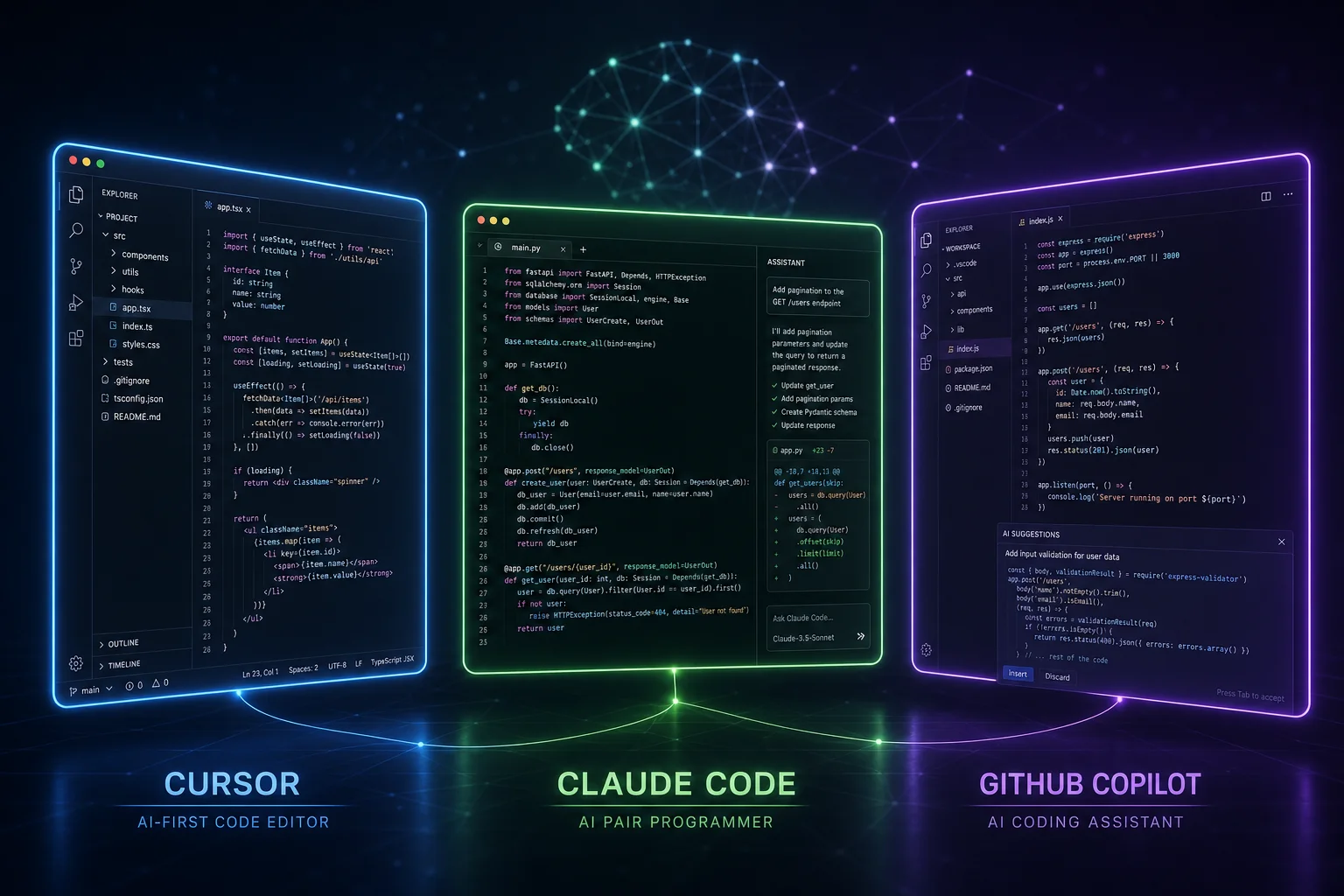
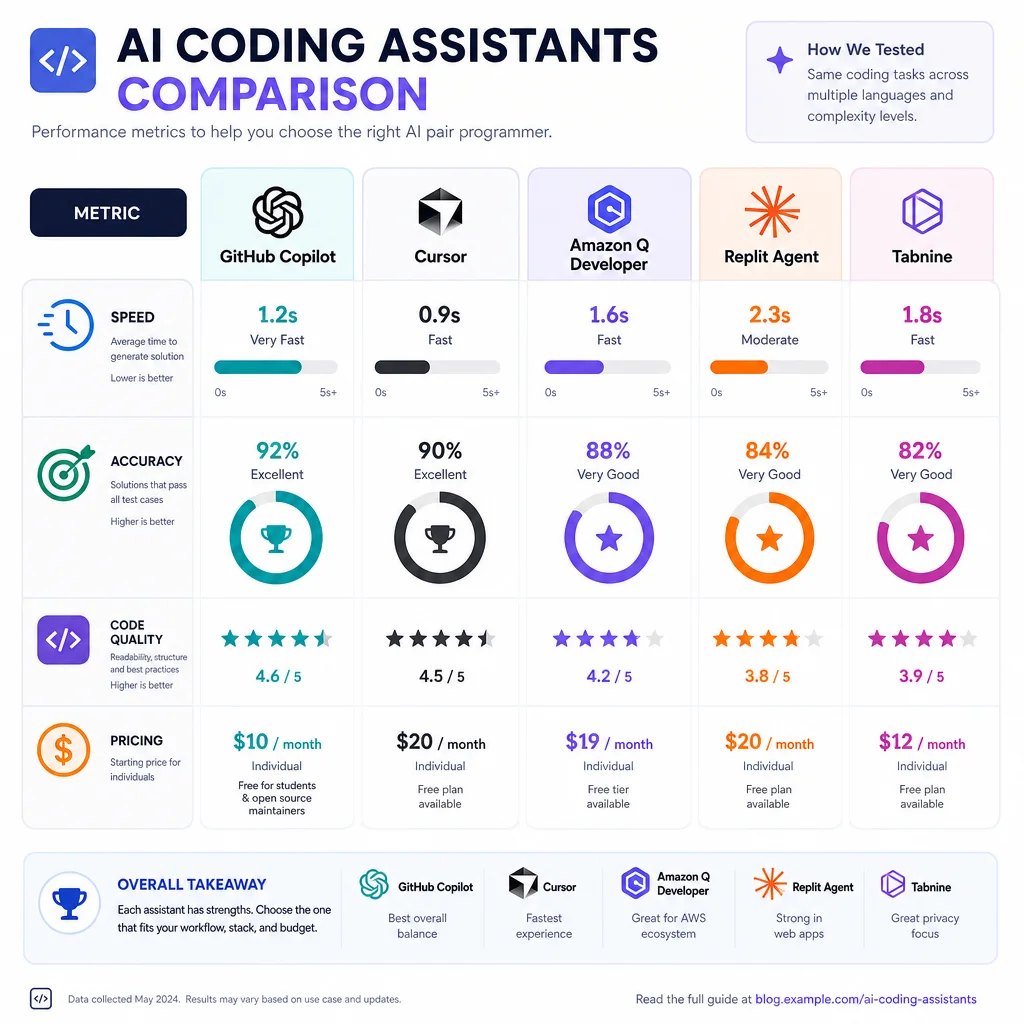
The landscape of AI-assisted software development has bifurcated into two distinct paradigms over the past two years: code copilots (epitomized by GitHub Copilot) that augment developers inline, and AI coding agents (represented by Devin, Cursor Agent, Claude Code, and others) that autonomously plan and execute software engineering tasks. Each approach represents a fundamentally different philosophy about the role of AI in the development workflow. This report compares them across architecture, capabilities, benchmarks, pricing, user experience, and market trajectory.
---
1. Core Functionality & Architecture
GitHub Copilot: The Augmented Assistant
GitHub Copilot began in June 2021 as a simple autocomplete plugin powered by OpenAI's Codex, offering single-line and multi-line completions in the editor. By May 2026, it has evolved into a multi-modal platform with four distinct interaction modes:
- Copilot Completions – Real-time, inline code suggestions as you type, using Fill-in-the-Middle (FIM) architecture to predict code based on surrounding context. This remains the core, always-on feature.
- Copilot Chat – A chat interface embedded in the IDE (VS Code, JetBrains, Visual Studio, Xcode, and others) that can answer questions, explain code, refactor, and generate code snippets. Powered by GPT-4 and later models.
- Copilot Agent Mode – Introduced in preview at GitHub Universe 2025 and rolled out generally in early 2026. This mode lets Copilot autonomously edit files, run terminal commands, and iterate on tasks across a project. It represents a hybrid—a copilot with agentic capabilities—but operates within the IDE context.
- Copilot Workspace – A browser-based environment for planning and implementing larger features. Still in preview/early GA as of early 2026, it allows natural-language-driven feature development with plan-review-execute loops.
Copilot's architecture is context-window-based, sending relevant code context (open files, surrounding lines, imports) to the model with each request. The original completion model uses a lightweight transformer optimized for latency. Chat and agent modes use larger foundation models. A key architectural limitation: Copilot's context is generally limited to the current session and open files—it does not maintain persistent long-term memory across sessions or deep understanding of an entire codebase without explicit indexing .
GitHub Copilot now supports multiple model providers including OpenAI (GPT-4o, o-series reasoning models), Anthropic (Claude 3.5 Sonnet, Claude 4), and Google (Gemini 2.5 Pro), allowing users to choose or let the system route tasks to the optimal model .
AI Coding Agents: The Autonomous Engineer
AI coding agents emerged as a distinct category in 2024-2025, built from the ground up for autonomy. The major entrants include:
- Devin (Cognition Labs) – Positioned as "the first AI software engineer." Launched in March 2024, Devin operates in a sandboxed environment with its own terminal, code editor, and browser. It can plan a multi-step task, write code, run it, inspect errors, fix bugs, push to GitHub, create PRs, and deploy. It raised $175M at a $2B valuation and charges $500/month per user. Devin's architecture includes a plan-execute-evaluate loop with persistent memory between sessions and the ability to browse documentation, APIs, and Stack Overflow when stuck .
- Cursor Agent – Cursor is a fork of VS Code that integrates agentic capabilities natively. Its Agent mode (released broadly in 2025) can edit multiple files, run terminal commands, and iteratively fix errors. Unlike Devin's fully autonomous approach, Cursor emphasizes a collaborative agentic model—the agent suggests changes in a diff view and the developer reviews/approves. Cursor also has a Tab completion feature similar to Copilot's inline suggestions plus a Composer for multi-file edits .
- Claude Code (Anthropic) – A CLI-based agent launched in early 2025 (announced as a public beta). It runs in the terminal, has read/write access to the filesystem, can execute commands, and has built-in web search capability. Claude Code is deeply integrated with Claude's large context window (200K+ tokens), allowing it to reason over entire codebases. It can create and manage git branches, commit changes, and create PRs. Claude Code ships as an npm package (`@anthropic-ai/claude-code`) and is included with Claude Pro ($20/mo), Team ($25/user/mo), or Enterprise plans .
- OpenHands (formerly OpenDevin) – The leading open-source coding agent, with ~70,000 GitHub stars. It provides a sandboxed agent environment that can execute code, browse the web, and edit files. OpenHands supports multiple LLM backends (OpenAI, Anthropic, Ollama) and has become a popular platform for both research and self-hosted deployments .
- Cline – An open-source autonomous agent that runs directly in VS Code as an extension, with file editing, command execution, and browser automation capabilities. Known for being cost-effective (bring your own API key) and highly configurable .
- Other agents – Replit Agent (browser-based, integrated with Replit's cloud IDE), Bolt.new (automatic full-stack app generation), and Codex CLI (OpenAI's own CLI agent) round out the ecosystem .
Architectural Distinction: Coding agents share a plan-execute-observe loop architecture. They maintain a structured plan (often as a to-do list), execute steps one at a time, observe the results (compiler errors, test failures, runtime output), and iterate. Most agents have access to a sandboxed environment (container or VM) for safe execution. They also typically maintain persistent memory (project-level context, conversation history) across sessions. This is fundamentally different from Copilot's stateless, per-request completion architecture .
---
2. Key Capabilities Comparison
Code Generation
Verdict: For line-by-line assistance, Copilot wins on speed and latency. For generating entire features or applications from scratch, coding agents are dramatically more capable .
Multi-File Editing
This is the single biggest differentiator between the two categories.
- Copilot historically struggled with multi-file edits. The original autocomplete only saw the current file. Copilot Chat can generate code for multiple files but requires manual switching and pasting. Copilot Agent Mode (2026) addresses this—it can now edit multiple files in sequence and track across them—but it remains constrained by context window limits and lacks a true project-level understanding without explicit indexing .
- Coding Agents are built for multi-file editing. Cursor's Composer can edit up to dozens of files in a single operation, showing a diff view for each. Devin plans across files, tracking dependencies. Claude Code reads your entire project tree and can make coordinated changes across files. All agents maintain a file map and can search across the codebase to find relevant files before editing .
Example: Ask "Add dark mode support to this React app." A coding agent will find the theme context, update CSS files, modify components, and add the toggle—all in one operation. Copilot in standard mode would need guided step-by-step instructions. Copilot Agent Mode can approximate this but with less reliability .
Debugging and Bug Fixing
- Copilot provides excellent error explanations ("What does this error mean?") and can suggest fixes for localized bugs. It does not autonomously run code, observe errors, and iterate. The developer must manually copy errors into chat.
- Coding Agents excel here. Devin and Claude Code can run the code, observe runtime errors or test failures, analyze stack traces, and apply fixes autonomously. They can iterate this loop multiple times until tests pass. Claude Code's "max turns" parameter controls how many fix-attempt-verify cycles it will execute . This autonomous debugging loop is a step-change in productivity.
Benchmark relevance: SWE-bench (discussed below) specifically tests this capability—agents must take a bug report, find the relevant code, write a fix, and verify it passes tests. Copilot in standard mode was never designed for this; it would require substantial human orchestration.
Context Retention and Codebase Understanding
- Copilot uses a sliding window of recent files and open tabs for context. It does not maintain permanent project-level understanding. With Copilot Workspace, it gains some planning and context-building capabilities, but this is a separate interface from the editor .
- Coding Agents use various strategies: some index the entire codebase (often via embeddings or AST parsing), others rely on extremely large context windows (Claude Code's 200K tokens can hold substantial portions of a large codebase). Devin maintains project memory across sessions, remembering decisions and architecture choices .
Web Browsing and API Integration
- Copilot has no native web browsing capability (except through Bing search integration in Copilot Chat, which is limited).
- Coding Agents frequently have integrated web browsing. Devin can search documentation, browse Stack Overflow, read API docs, and incorporate what it finds. Claude Code has an optional web search tool. This allows agents to work with undocumented APIs, research libraries, and solve problems that require external knowledge .
Terminal and Command Execution
- Copilot Agent Mode (2026) can run terminal commands, both for setup (npm install, pip install) and for execution (running tests, starting servers). It can see command output and iterate. This is a recent addition and less mature than agent-native implementations .
- Coding Agents universally have terminal access as a core capability. Devin has a full sandboxed terminal. Claude Code runs commands directly on your machine (with user confirmation). Cursor Agent can execute commands in its integrated terminal. This is foundational to their architecture—they need to run code to verify it works .
PR and Issue Creation
- Copilot Copilot can generate PR descriptions from code changes but does not autonomously create branches, commit, and open PRs.
- Coding Agents like Devin fully automate the PR workflow: create a branch, make changes, commit with messages, push, and create a PR with a description. Claude Code does the same via git CLI. Human review is still expected, but the mechanics are fully automated .
---
3. Performance Benchmarks
SWE-bench Verified Scores
SWE-bench has become the standard benchmark for evaluating coding agents on real-world software engineering tasks (bug fixes from actual open-source Python repositories). It measures the percentage of tasks where the agent produces a correct fix that passes all tests.
Note: These are scores for the models behind these tools, not the tool interfaces themselves. GitHub Copilot has not been benchmarked on SWE-bench because it is not designed for autonomous bug fixing—it requires a human in the loop at every step. This difference is fundamental: SWE-bench measures autonomous task completion, not assisted coding speed .
Other Benchmarks
- Code generation (HumanEval+, MBPP+): Copilot (GPT-4o based) scores ~85-90% on HumanEval. Coding agents don't necessarily score higher on these isolated function-generation tasks—they're optimized for multi-step tasks, not single-function accuracy.
- Multi-file editing accuracy: No standardized benchmark, but Cursor and Claude Code lead in user-reported reliability for coordinated cross-file changes.
- Latency: Copilot completions are sub-100ms. Cursor Tab is comparable. Agent responses take seconds to minutes depending on the complexity of the task.
Programming Languages Supported
- Copilot: Supports all major languages. Works best with Python, JavaScript, TypeScript, Go, Ruby, Java, C#, and C++. Long-tail languages (Rust, Kotlin, Swift, etc.) are well-supported due to its underlying model's broad training.
- Coding Agents: Language support varies by architecture:
- Cursor: Same as Copilot—works with any language supported by VS Code's ecosystem.
- Claude Code: Works with any language Claude understands (broad language coverage).
- Devin: Initially Python-heavy; has expanded to JavaScript/TypeScript, Go, Java, Rust, and others but may have gaps in less common languages.
- OpenHands: Depends on the LLM backend used; flexible.
Verdict: Copilot has a slight edge on language breadth due to its massive training data, but the gap is closing .
---
4. Pricing Models & Accessibility
GitHub Copilot Pricing (May 2026)
Copilot is available in VS Code, Visual Studio, JetBrains IDEs, Xcode (beta), Neovim, and GitHub.com (Chat and Workspace). It also has a mobile interface for browsing code with AI. The Free tier has made Copilot widely accessible; millions of developers use it at no cost .
AI Coding Agent Pricing (May 2026)
Platform Availability:
- Cursor: macOS, Windows, Linux (native app, fork of VS Code). Also available as a web version.
- Claude Code: CLI tool, works on macOS, Linux, Windows (via WSL). Works with any editor (VS Code, JetBrains, Neovim, etc.).
- Devin: Browser-based. No local installation required. Connects to GitHub.
- OpenHands: Self-hosted or cloud-hosted, browser UI, connects to any codebase.
- Replit Agent: Browser-based, integrated with Replit IDE.
Key Cost Observation: Copilot is 2x to 50x cheaper per user than coding agents. For an individual developer, $10/month for Copilot provides baseline AI assistance. Cursor at $20/month is the most direct competitor for agentic capabilities at a reasonable price. Devin at $500/month is positioned for enterprise teams tackling complex, autonomous tasks—a completely different pricing tier .
---
5. User Experience & Community Feedback
Where GitHub Copilot Excels
- Speed and flow: Developers consistently report that Copilot's inline completions feel seamless. The keystroke-level assistance reduces boilerplate, speeds up writing tests, and helps with remembering syntax. It's especially praised for "staying out of the way" when not needed .
- Low cognitive overhead: No special setup, no context switching, no waiting for an agent to think. It's just there when you type.
- Enterprise trust: GitHub's backing, Microsoft's enterprise agreements, IP indemnification, and compliance certifications make Copilot the default choice for large organizations. Code exclusions (disabling AI on specific repos) and no-data-retention policies address enterprise concerns .
- Ecosystem integration: Tight integration with GitHub Actions, pull requests, issues, and Codespaces. Copilot Chat can reference GitHub issues and PRs natively .
- Wide language support: Works with virtually any programming language, config file format, or DSL.
Where GitHub Copilot Falls Short
- Complex multi-step tasks: Users report that Copilot struggles with tasks requiring coordinated changes across many files. It loses context and produces inconsistent or incomplete solutions. Even Copilot Agent Mode, while improved, is seen as less reliable than dedicated agents for project-level work .
- Limited autonomy: Copilot cannot autonomously debug, iterate, and fix. It requires human guidance at every turn. For developers wanting to offload entire subtasks, this is a bottleneck .
- Context window limitations: Despite improvements, Copilot's context handling is still primarily based on open files and recent edits. It does not deeply understand project architecture without Workspace (a separate, less-integrated interface) .
- No persistent memory: Copilot does not remember project decisions, architectural preferences, or prior conversations across sessions .
Where AI Coding Agents Excel
- Autonomous task completion: Reviews for Devin, Claude Code, and Cursor Agent frequently highlight the ability to offload well-defined engineering tasks (e.g., "Add sorting to the users table," "Fix this API endpoint," "Write unit tests for this module") and come back to a complete, tested implementation .
- Full-stack generation: Agents can scaffold entire applications from a single prompt. Bolt.new and Replit Agent are particularly praised for rapidly prototyping full-stack apps .
- Debugging loops: The ability to run code, see errors, fix them, and re-run without human intervention is cited as a major productivity multiplier. "I used to spend 30 minutes debugging; now I tell the agent the error and it fixes itself" is a common sentiment .
- Learning and adaptation: Some agents (notably Cursor and Claude Code) can learn project-specific patterns, coding conventions, and architectural preferences over time .
Where AI Coding Agents Fall Short
- Cost: Devin at $500/month is prohibitive for individual developers. Cursor at $20/month is more accessible but still double Copilot's price. Enterprise pricing for agent tools often exceeds Copilot Enterprise costs .
- Reliability and unpredictability: Agents sometimes go down rabbit holes, make changes that break things, or misunderstand the scope of a task. Users report needing to carefully review agent output—sometimes more carefully than they would review their own code .
- Speed for simple tasks: For a single-line fix or a simple function, waiting 10-30 seconds for an agent to "think" and produce output is slower than Copilot's instant completion or just typing it .
- Safety and control concerns: Autonomous agents that run terminal commands and edit files without explicit approval for every change raise safety concerns. Cursor's diff review model addresses this; Devin's sandbox is safer; but accidents do happen (e.g., agents that delete files, modify configs inadvertently, or introduce security vulnerabilities) .
- Platform lock-in: Cursor requires adopting a specific IDE fork. Devin is browser-only. Claude Code is CLI-only. This can disrupt existing workflows .
Community Sentiment Summary
On Reddit, Hacker News, and developer forums, the consensus in early 2026 is that tools are converging from both directions:
- Copilot is becoming more agentic with Agent Mode and Workspace. Users appreciate staying in their existing IDE.
- Coding agents are adding copilot-style features. Cursor's Tab is competitive with Copilot completions. Claude Code and Devin are improving latency and interactive feedback.
The prevailing view: "Use Copilot for the flow-state, inline completions. Use an agent when you need to offload a multi-step task." Many developers use both—Copilot in the editor for day-to-day coding, and an agent (Cursor or Claude Code) for complex refactoring, debugging, or scaffolding .
---
6. Future Directions & Market Positioning (as of May 2026)
Convergence Trend
The most significant market development is the convergence of the two categories:
- GitHub Copilot is aggressively adding agentic capabilities. Copilot Agent Mode (GA in early 2026) and Copilot Workspace represent a multi-year investment in bridging the gap. GitHub has positioned Copilot as a platform, not just a plugin, with support for multiple foundation models, custom knowledge bases, and integration with the entire GitHub ecosystem. The strategic bet is that developers want AI assistance within their existing workflows rather than switching to a new tool .
- Cursor has become the strongest hybrid—it offers Tab (Copilot-style completions) and Agent/Composer (full agentic capabilities) in a single IDE. This positioning has made it the most popular alternative to Copilot among developers who want both modes without switching tools. Its $20/month pricing undercuts Devin while offering substantial agentic power .
- Claude Code (Anthropic) is pushing the CLI+agent model, appealing to developers who prefer terminal-based workflows. Its integration with Claude's massive context window and reasoning capabilities makes it particularly strong for complex, single-session tasks. Anthropic also has the strongest safety-focused positioning .
- Devin (Cognition Labs) has struggled to justify its $500/month price point for widespread adoption but has found a niche in enterprise teams that need fully autonomous, hands-off engineering. Its valuation ($2B) reflects long-term bets on agentic workflows rather than current revenue .
- Open source agents (OpenHands, Cline, SWE-agent) are democratizing access. OpenHands' 70k GitHub stars indicate massive community interest. The open-source ecosystem is driving rapid innovation—new agent architectures, better tool integration, and cheaper operation via BYO API keys—but at the cost of setup complexity and lack of official support .
Competitive Dynamics
- Multi-model support: Copilot's move to support Claude and Gemini alongside OpenAI marks a shift from vendor lock-in to model-agnostic platform. This is a competitive advantage for Copilot—no other tool offers this breadth of model choice within a single interface .
- Ecosystem lock-in: GitHub's integration with Actions, Codespaces, Issues, and PRs creates a powerful ecosystem that agents cannot easily replicate. Devin and Cursor connect to GitHub but don't replace it. This gives GitHub/Copilot a durable advantage, especially in enterprise .
- Pricing pressure: The $10/month Copilot Individual tier sets a low bar. Cursor at $20/month is seeing strong adoption. Devin's $500/month faces constant questions about ROI. The market is pressuring agent tools to lower prices or offer compelling free tiers .
- Enterprise compliance: Copilot's IP indemnification, SOC 2 compliance, and code exclusion policies make it the default for regulated industries. Coding agents are still catching up in this area .
Predictions for 2026-2027
Based on current trajectories, several trends will define the next 12-18 months:
1. Agent mode becomes standard in Copilot. By end of 2026, "basic Copilot" (completions + chat) may be seen as the free tier, with agent capabilities as the differentiator for paid tiers.
2. Cursor and Copilot will compete head-to-head for the "agentic IDE" market, with Cursor being the more innovative but smaller player and Copilot benefiting from GitHub's massive distribution.
3. Devin may pivot toward enterprise-only or be acquired. The $500/user/month price point has not seen mass adoption; Cognition may need to either lower pricing or focus on high-value enterprise contracts.
4. Open-source agents will commoditize basic agentic capabilities, driving prices down for everyone. Cline and OpenHands already offer competitive agentic features for API-key-only cost.
5. The winning paradigm may be a unified tool that combines Copilot-style completions with agent-style autonomy in a single, familiar interface. Cursor currently best embodies this, but Copilot is closing the gap fast.
---
Summary: Which Should You Choose?
The answer depends on your role, team size, budget, and workflow preferences:
Choose GitHub Copilot if:
- You want always-on, low-latency inline completions that don't interrupt your flow
- You work in an enterprise environment that requires compliance, IP indemnification, and integration with GitHub ecosystem
- Your budget is limited ($10-39/month per user)
- You prefer your existing IDE and don't want to switch editors or workflows
- You need broad language support and reliable autocomplete for day-to-day coding
Choose an AI Coding Agent if:
- You regularly tackle complex, multi-step tasks (refactoring, debugging, feature implementation across many files)
- You want to offload entire subtasks to AI and come back to a working solution
- You value autonomous debugging loops that can run, fail, and retry without your intervention
- You're willing to pay more ($20-500/month) for substantially more autonomous capability
- You're open to changing your editor (Cursor) or learning a CLI tool (Claude Code)
The Hybrid Approach (most common among power users)
Many experienced developers now use both: Copilot for inline completions and chat in their primary IDE (VS Code or JetBrains), plus an agent tool (Cursor for IDE-native agentic work, Claude Code for CLI-based tasks, or Cline for cost-effective open-source agentic capabilities) for complex, autonomous work. This dual-tool approach currently offers the best of both worlds—seamless assistance for the flow state, and autonomous power for the heavy lifting .